Invite a colleague
Invite another teacher to join your institution on Inktrail. You need to be signed in to your educator account.
This example invites Alex Morgan to Northgate Secondary College. Use your colleague's details instead.
1. Open the invitation form
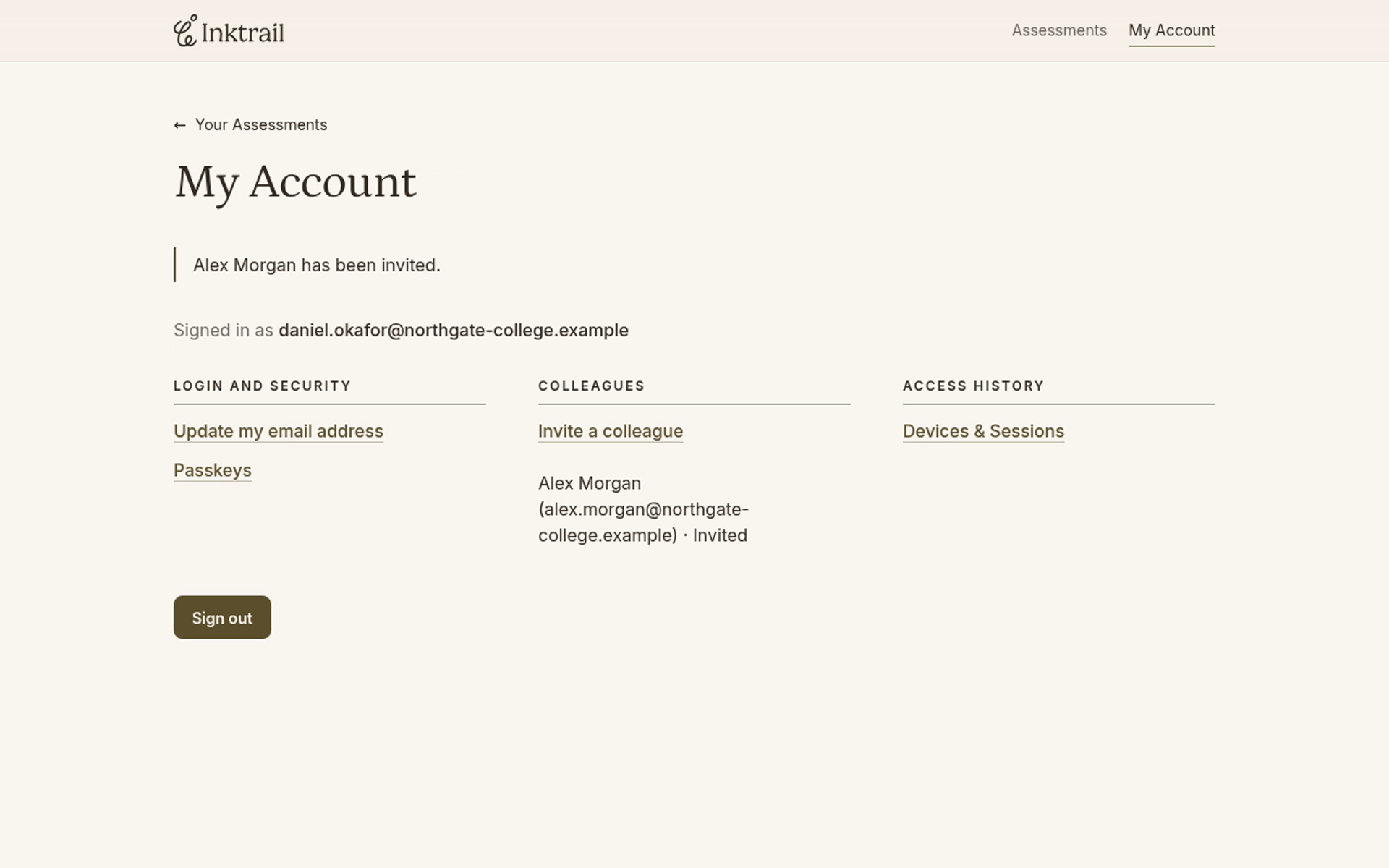
On Your Assessments, select My Account. Under Colleagues, select Invite a colleague.
2. Enter your colleague's details
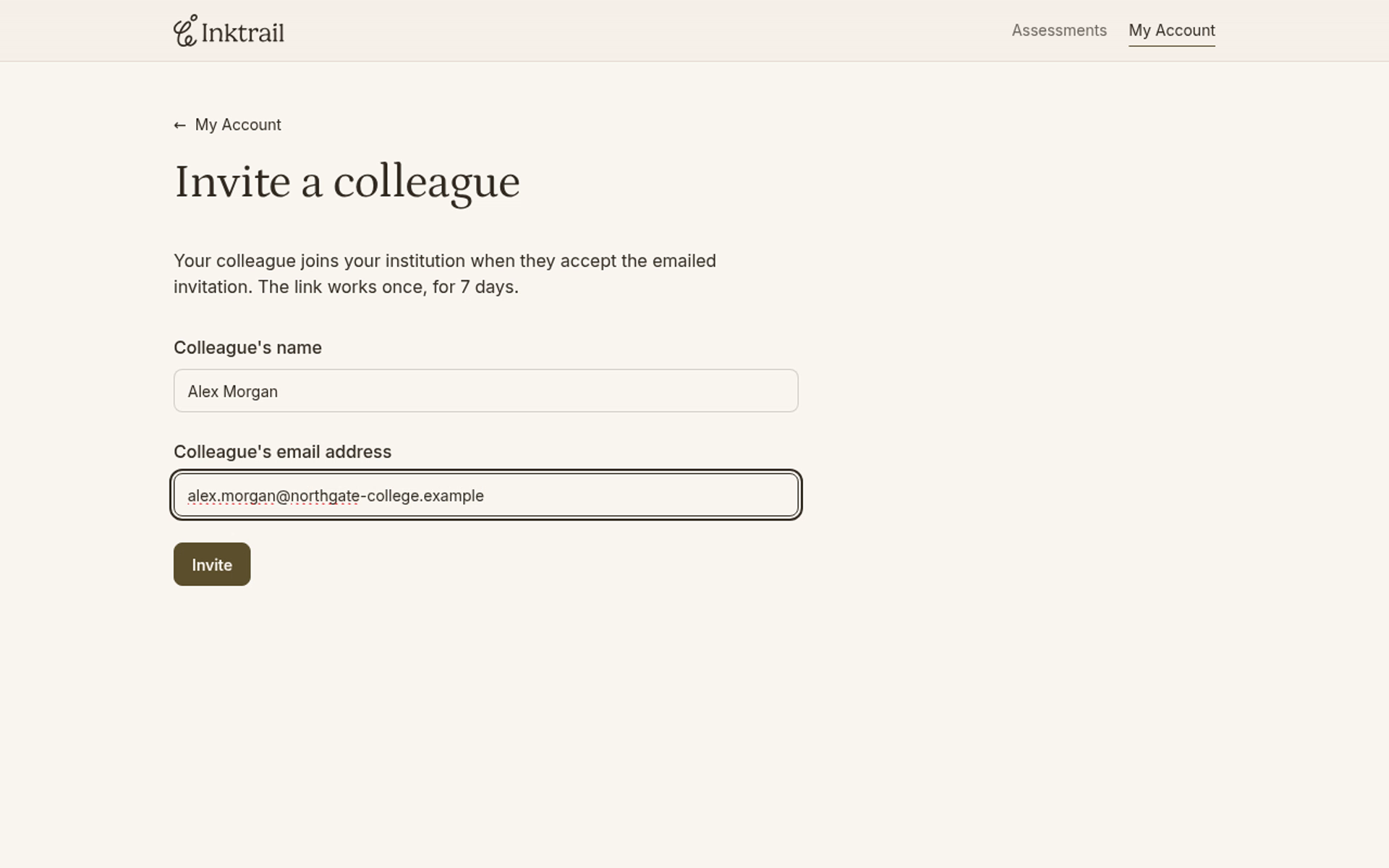
Fill Colleague's name and Colleague's email address. In this example:
- Colleague's name:
Alex Morgan - Colleague's email address:
alex.morgan@northgate-college.example
Check the address before you send the invitation.
3. Send the invitation
Select Invite.
You return to My Account with a confirmation that your colleague has been invited. Their name and email address appear under Colleagues, with the status Invited. Inktrail sends the invitation to the address you entered.