Understand saving and pasted text
Know when your writing is saved and what a paste warning means, so you can protect your work and credit your sources.
The examples use an open assessment you have already started. From Your works, select its name, then Continue writing.
Saved means your changes reached Inktrail
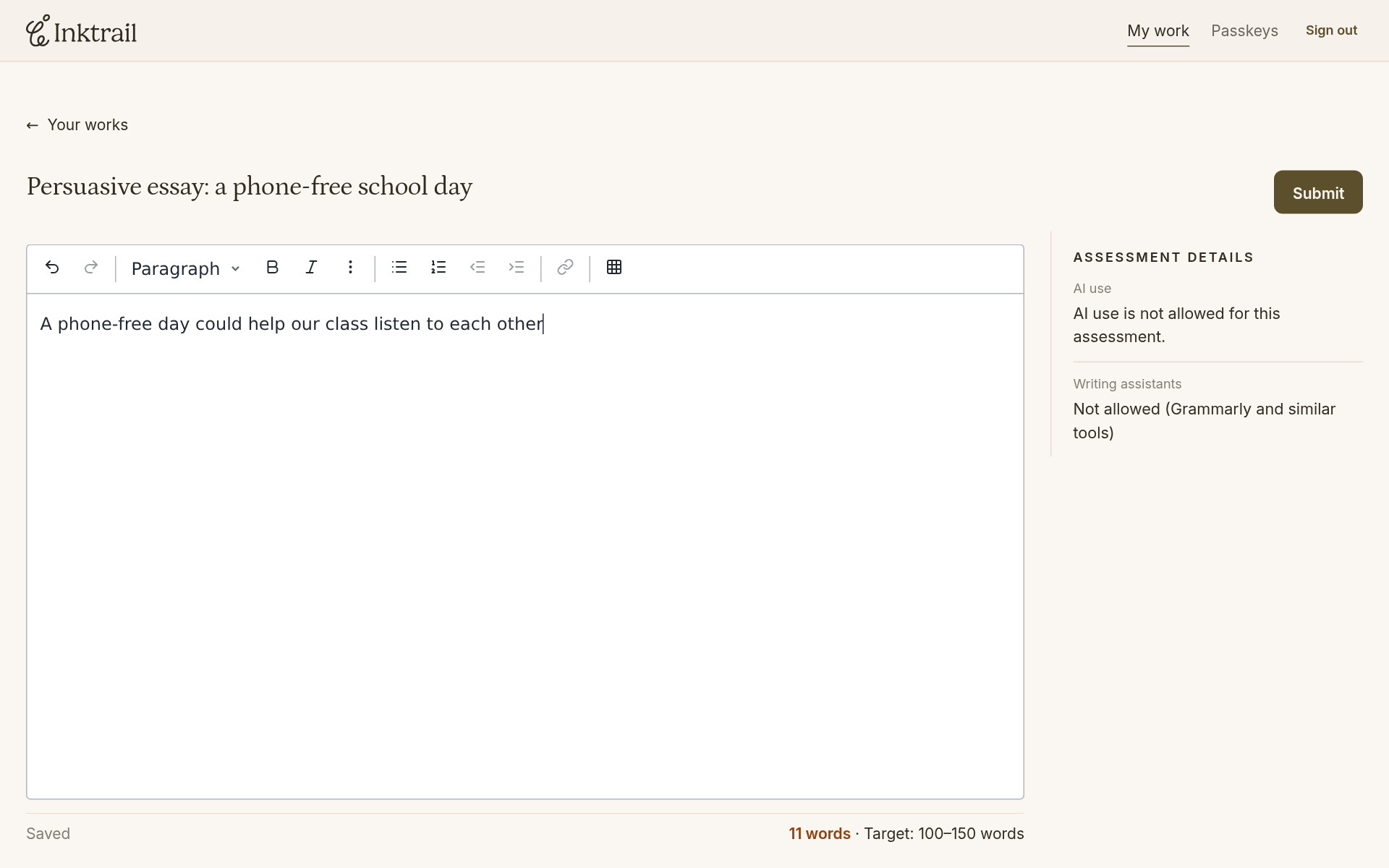
Inktrail saves automatically as you write. The status below the editor tells you whether your latest change has reached it. Saved means it has; Unsaved changes or Saving… means you still need to wait. Saving does not submit your work.
As you write your own answer, check for Saved before relying on your latest changes being stored.
If saving stops, keep the tab open
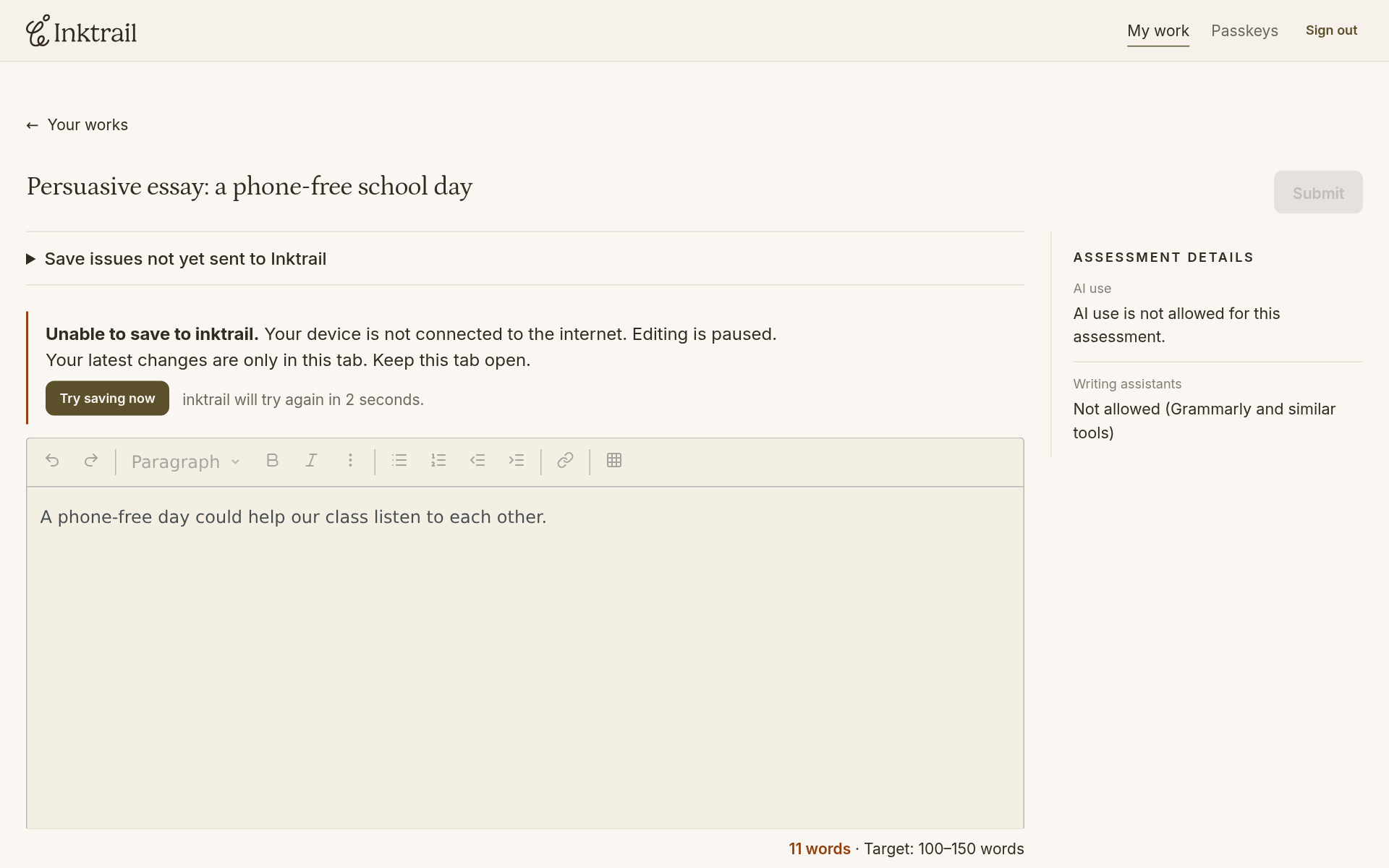
The example below lost its internet connection while adding the final full stop. Unable to save to inktrail. explains the problem. Editing pauses and Submit is unavailable. The latest change is still in the tab, but it has not reached Inktrail. Do not close the tab or assume that visible text is saved.
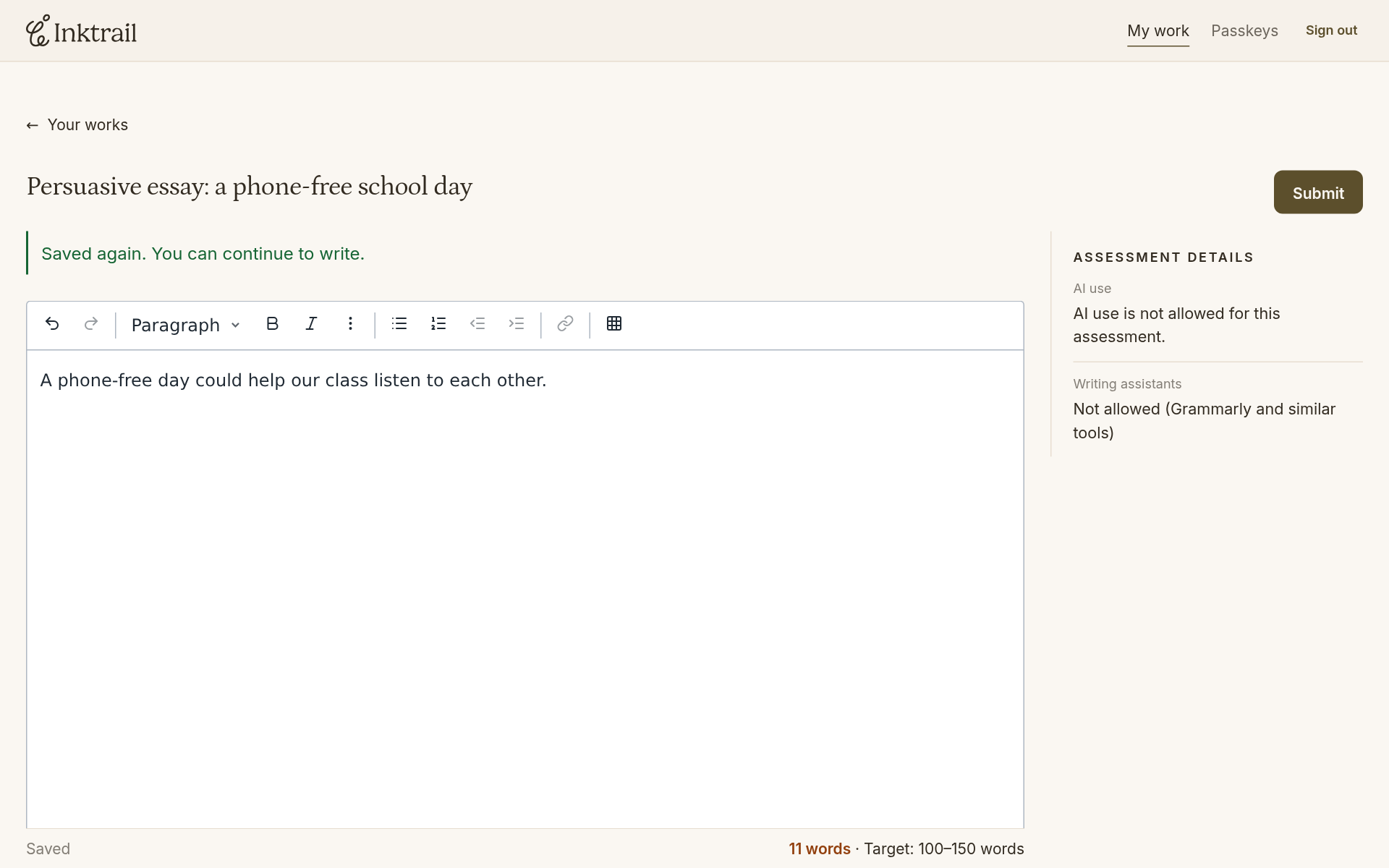
When the connection returns, Inktrail tries saving again. Wait for Saved before continuing. In this example the final full stop is then saved too.
A paste warning asks you to credit the source
Pasted text can carry a highlight and an attached warning. The warning asks you to paraphrase or use quotation marks as appropriate, and say where the information came from. This includes AI-generated content.
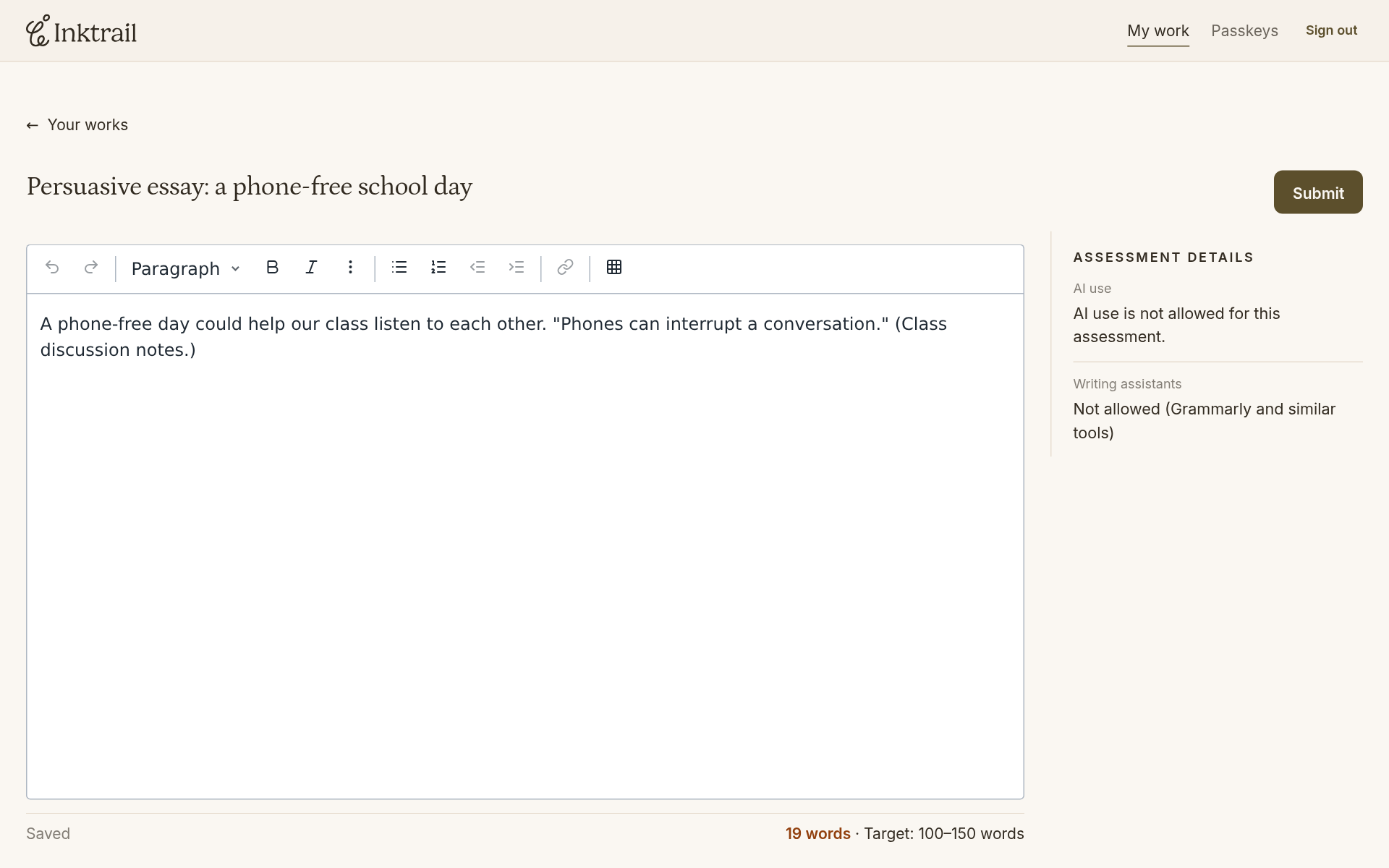
In the example, the student pastes a quotation from their own class discussion notes after the sentence:
"Phones can interrupt a conversation." (Class discussion notes.)
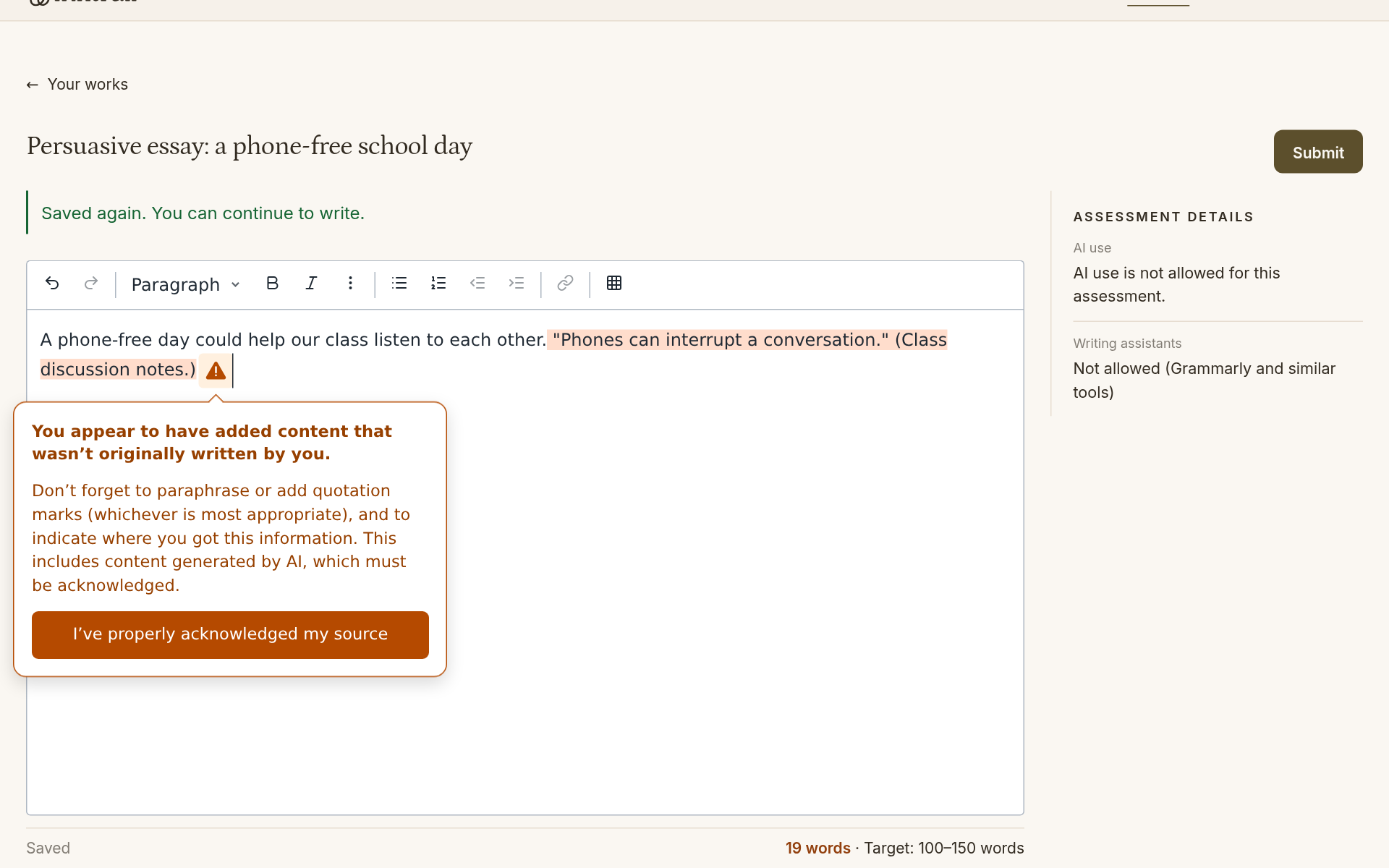
Once you have properly credited the source, select I’ve properly acknowledged my source. The highlight and warning disappear. That is not a way to erase the paste: the pasted text and its evidence remain recorded for your teacher to inspect.
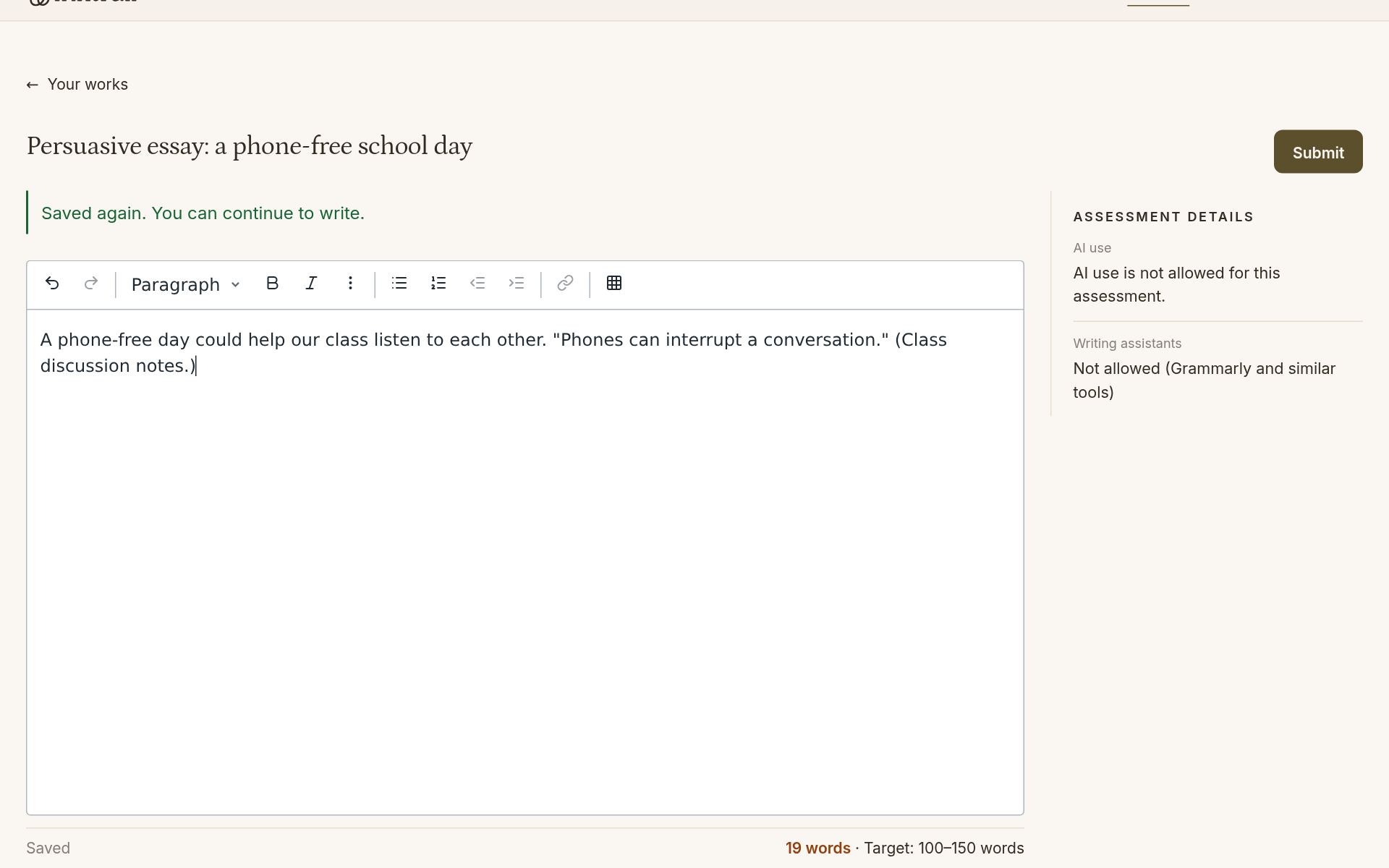
Reopening keeps what was saved
After Saved, use Your works to leave the editor. Select the assessment and Continue writing again. Your saved writing, quotation and acknowledgment remain. Acknowledging a paste does not turn it into text typed by you.